Starting is the hard part. Osprey takes you from 0 to 1 in 5 minutes.
Osprey turns your Canvas due dates into small steps and hands you the next one, small enough to start tonight.
Early access opens soon.
We'll open the list once our privacy policy is live.
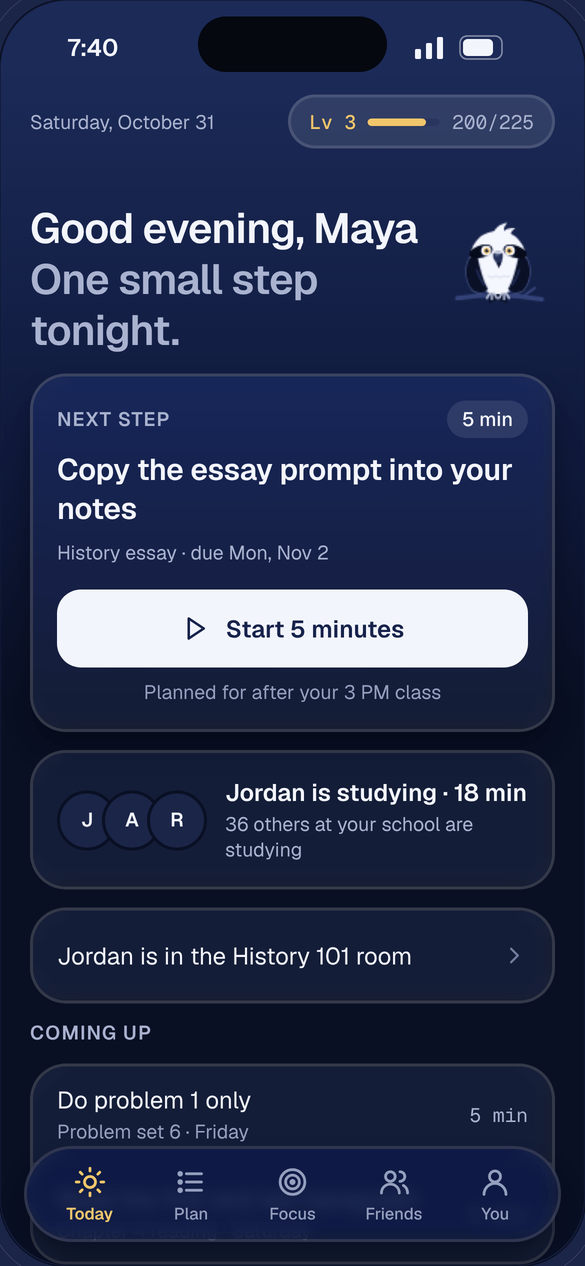
From a due date to a started step
-
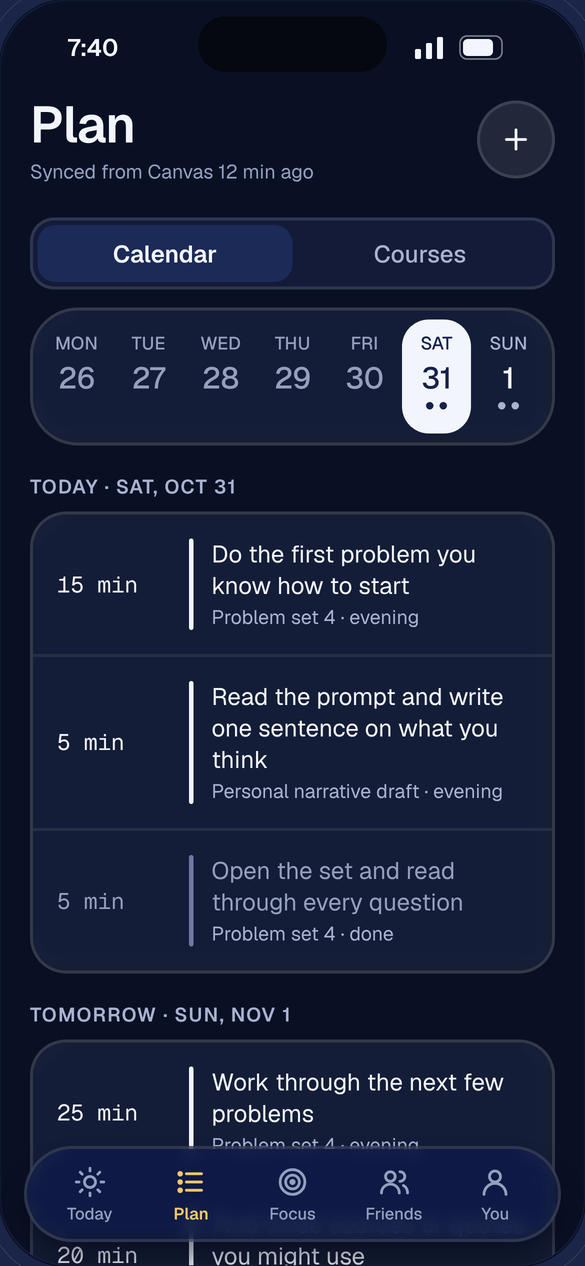
Paste your Canvas link.
Osprey reads your due dates and breaks each assignment into four to seven small steps, scheduled back from the day it is due.
-
See one small step.
Today shows the next thing to do, not the whole list. The first step of anything takes five minutes or less.
-
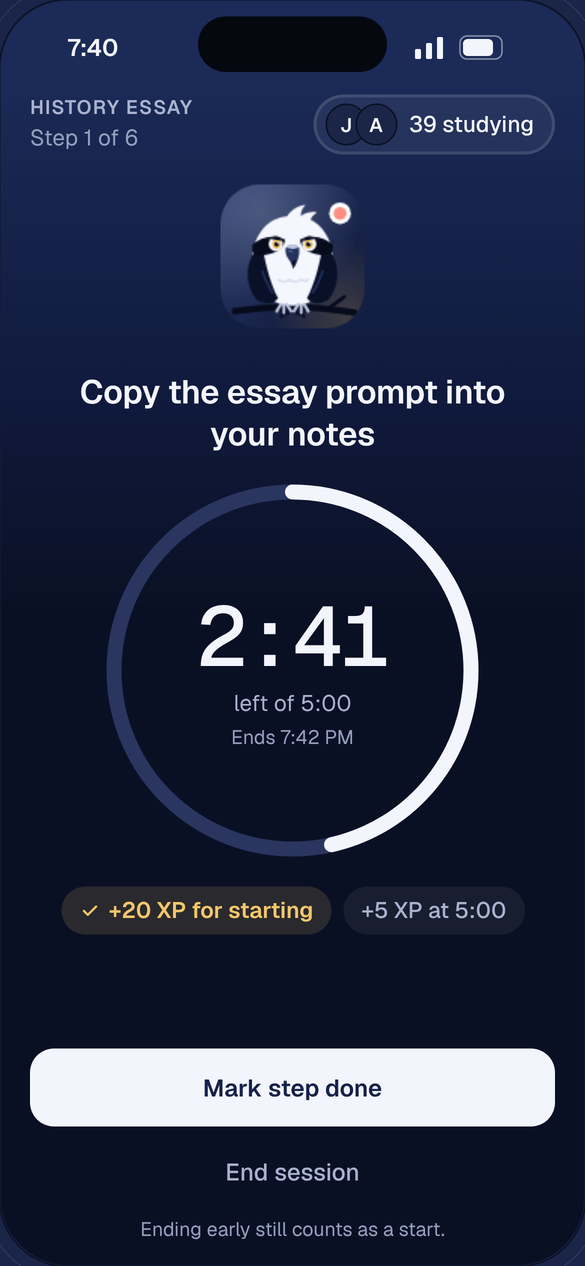
Start for five minutes.
The timer keeps running when you leave the app. Starting earns 20 XP, and ending early still counts as a start.
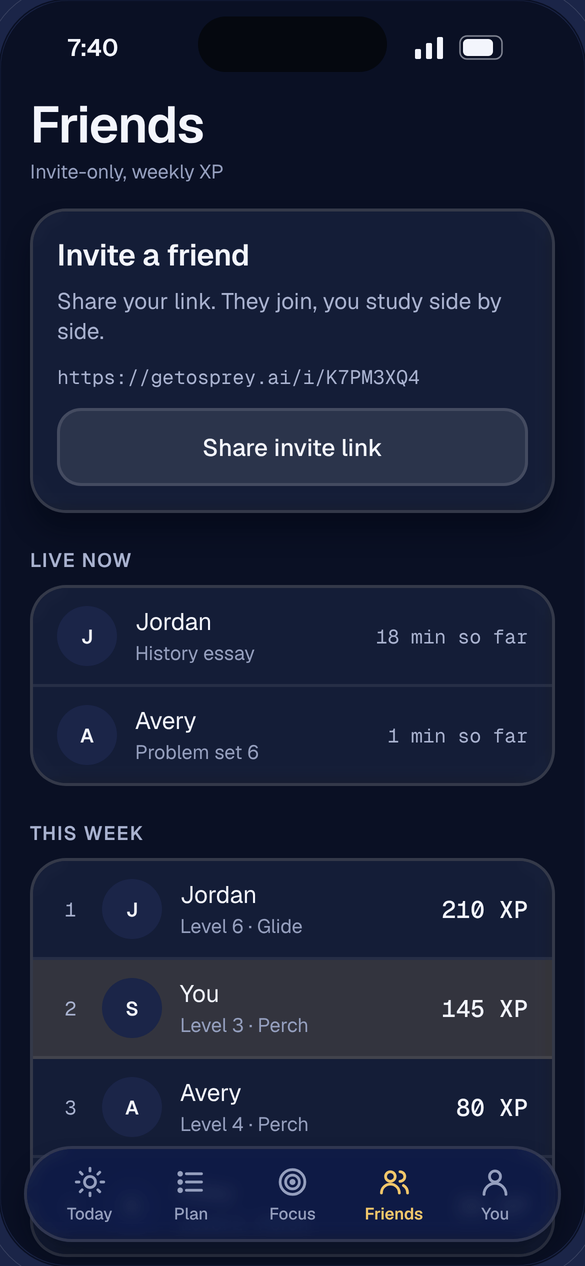
Study next to your friends
Invite friends with your own link and see who is studying right now, on what, and for how long. Rooms, for your school or for anyone, show first names and timers only: no chat, no video, nothing to perform. A weekly board counts XP among friends, and it starts over every week.
Osprey Plus
Everything is open for your first 14 days. After that, Osprey Plus is $4.99 a month for students with a .edu email.
About Osprey Plus